

無料 
3D Print Your Own Miniature Model of A 3D Printer Using These GCODE Files Includes Detailed Drawings Package & Step-By-Step Pictures
Thingiverse
This collection includes GCODE files and 3D models that ship with slicer output, covering calibration tests, machine profiles, utility scripts, and various objects. You will find resources for checking extrusion consistency, configurations tied to specific hardware, and everyday items offered in a ready-sliced format. It is useful when you want to send a file directly to your 3D printer or compare slicer settings against an STL-based workflow. Polyzon does not confirm whether models are free, their price, license, official status, affiliation, safety or fitness. Check the current terms at the source.
このコレクションの本文は英語で書かれています。検索自体はどの言語でも使えます。
 Polyzonのコレクション · モデル48件 7サイトから収集
このコレクションは、Polyzonが対応サイトの検索結果をもとに作成しています。重複やプレビューのないモデルは除外し、関連性の低いものは後ろに回し、それ以外は検索結果の順に並べています。モデルの権利は各作者にあります。利用条件は各モデルのページでご確認ください。
選定基準:Polyzon編集部 · 本文の更新日:2026年10月9日


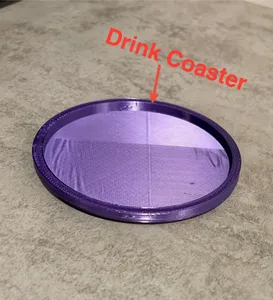


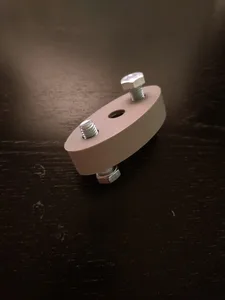
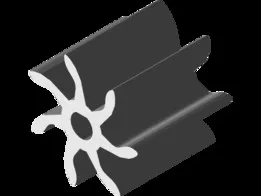






%2Fhttps%3A%2F%2Ffbi.cults3d.com%2Fuploaders%2F16868246%2Fillustration-file%2Fd7aa2f26-cb8a-42c0-8172-56622db95dd6%2Frender%25202.JPG&w=300)







%2Fhttps%3A%2F%2Ffbi.cults3d.com%2Fuploaders%2F16868246%2Fillustration-file%2F924b6cd5-3476-4118-ab76-9f2930ba4def%2F6.JPG&w=300)
%2Fhttps%3A%2F%2Ffbi.cults3d.com%2Fuploaders%2F16868246%2Fillustration-file%2F3b35c4a7-3489-47b8-96f1-c23da6e42931%2F1.JPG&w=300)




%2Fhttps%3A%2F%2Ffbi.cults3d.com%2Fuploaders%2F16868246%2Fillustration-file%2F2a65fe9e-8f33-42c3-af98-a23bdcfe9f22%2F8.JPG&w=300)
%2Fhttps%3A%2F%2Ffbi.cults3d.com%2Fuploaders%2F16868246%2Fillustration-file%2Fcf6a6199-eb44-41c8-9322-b93e70fb12f0%2F3.JPG&w=300)
%2Fhttps%3A%2F%2Ffbi.cults3d.com%2Fuploaders%2F16868246%2Fillustration-file%2Fd4ac4738-b0c9-4908-b115-6cd8040da919%2F1.png&w=300)
%2Fhttps%3A%2F%2Ffbi.cults3d.com%2Fuploaders%2F16868246%2Fillustration-file%2Fc93059ec-6c1d-4a12-bcc0-b151799106f0%2F1.1.JPG&w=300)
%2Fhttps%3A%2F%2Ffbi.cults3d.com%2Fuploaders%2F16868246%2Fillustration-file%2F58129318-62b6-4f2d-8db2-59820ed315e9%2F1.1.JPG&w=300)
%2Fhttps%3A%2F%2Ffbi.cults3d.com%2Fuploaders%2F16868246%2Fillustration-file%2Ff7ada6b3-12c4-45cc-8db7-458e3875276c%2F1.png&w=300)
%2Fhttps%3A%2F%2Ffbi.cults3d.com%2Fuploaders%2F16868246%2Fillustration-file%2F30f4110d-2cb8-4753-92e5-97c8249a1e6c%2F1.jpg&w=300)
%2Fhttps%3A%2F%2Ffbi.cults3d.com%2Fuploaders%2F16868246%2Fillustration-file%2F0cd81553-3072-4e00-bede-01a675ec60bf%2F1.png&w=300)
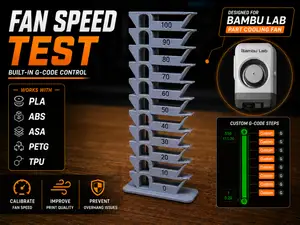
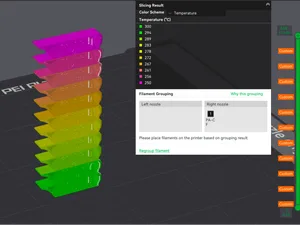
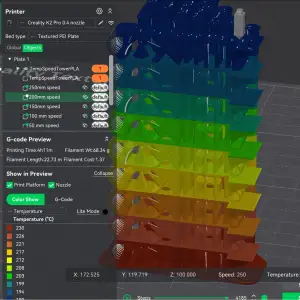
Some results are calibration prints and temperature towers that include custom GCODE to test filament behavior across a range of values. Others are machine-specific files tuned for a particular printer model, or short scripts meant to automate nozzle cleaning and priming. You will also find ordinary STL objects that simply include a GCODE file as an alternate download.
Before downloading, check the author's page for the target machine, layer height, and material the GCODE was generated for, since a file sliced for one printer can produce poor results on another. Look at photos of real prints to confirm surface quality and dimensional accuracy. If the model has multiple parts or requires assembly, verify whether the GCODE includes all components or only a single piece.
If you need a specific type of output, try synonyms and related terms such as “sliced file,” “printer profile,” “temperature tower,” or “nozzle script.” You can also combine the topic with a material abbreviation or printer series to narrow the results. Browsing related collections for test prints or utility tools may surface additional GCODE resources.
暮らし・日用品からCNCまで、すべてのテーマをそろえたカタログ。対応サイトを横断して検索できます。


