

免费 
3D Print Your Own Miniature Model of A 3D Printer Using These GCODE Files Includes Detailed Drawings Package & Step-By-Step Pictures
Thingiverse
This collection includes GCODE files and 3D models that ship with slicer output, covering calibration tests, machine profiles, utility scripts, and various objects. You will find resources for checking extrusion consistency, configurations tied to specific hardware, and everyday items offered in a ready-sliced format. It is useful when you want to send a file directly to your 3D printer or compare slicer settings against an STL-based workflow. Polyzon does not confirm whether models are free, their price, license, official status, affiliation, safety or fitness. Check the current terms at the source.
本合集的文字为英文,搜索本身支持任何语言。
 Polyzon合集 · 48个模型 来自7个平台
此合集由Polyzon根据已接入平台的搜索结果整理而成:去除重复项和没有预览图的模型,匹配度低的排在最后,其余按搜索结果顺序排列。模型归作者所有——请在各模型页面查看使用条款。
筛选规则:Polyzon编辑部 · 文字更新于2026年10月9日


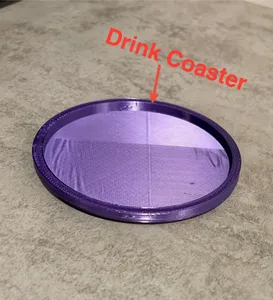


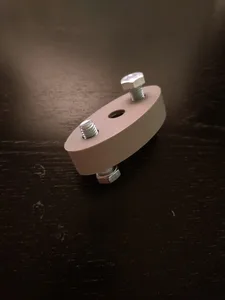
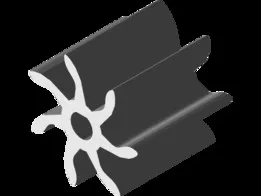






%2Fhttps%3A%2F%2Ffbi.cults3d.com%2Fuploaders%2F16868246%2Fillustration-file%2Fd7aa2f26-cb8a-42c0-8172-56622db95dd6%2Frender%25202.JPG&w=300)







%2Fhttps%3A%2F%2Ffbi.cults3d.com%2Fuploaders%2F16868246%2Fillustration-file%2F924b6cd5-3476-4118-ab76-9f2930ba4def%2F6.JPG&w=300)
%2Fhttps%3A%2F%2Ffbi.cults3d.com%2Fuploaders%2F16868246%2Fillustration-file%2F3b35c4a7-3489-47b8-96f1-c23da6e42931%2F1.JPG&w=300)




%2Fhttps%3A%2F%2Ffbi.cults3d.com%2Fuploaders%2F16868246%2Fillustration-file%2F2a65fe9e-8f33-42c3-af98-a23bdcfe9f22%2F8.JPG&w=300)
%2Fhttps%3A%2F%2Ffbi.cults3d.com%2Fuploaders%2F16868246%2Fillustration-file%2Fcf6a6199-eb44-41c8-9322-b93e70fb12f0%2F3.JPG&w=300)
%2Fhttps%3A%2F%2Ffbi.cults3d.com%2Fuploaders%2F16868246%2Fillustration-file%2Fd4ac4738-b0c9-4908-b115-6cd8040da919%2F1.png&w=300)
%2Fhttps%3A%2F%2Ffbi.cults3d.com%2Fuploaders%2F16868246%2Fillustration-file%2Fc93059ec-6c1d-4a12-bcc0-b151799106f0%2F1.1.JPG&w=300)
%2Fhttps%3A%2F%2Ffbi.cults3d.com%2Fuploaders%2F16868246%2Fillustration-file%2F58129318-62b6-4f2d-8db2-59820ed315e9%2F1.1.JPG&w=300)
%2Fhttps%3A%2F%2Ffbi.cults3d.com%2Fuploaders%2F16868246%2Fillustration-file%2Ff7ada6b3-12c4-45cc-8db7-458e3875276c%2F1.png&w=300)
%2Fhttps%3A%2F%2Ffbi.cults3d.com%2Fuploaders%2F16868246%2Fillustration-file%2F30f4110d-2cb8-4753-92e5-97c8249a1e6c%2F1.jpg&w=300)
%2Fhttps%3A%2F%2Ffbi.cults3d.com%2Fuploaders%2F16868246%2Fillustration-file%2F0cd81553-3072-4e00-bede-01a675ec60bf%2F1.png&w=300)
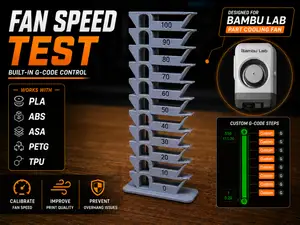
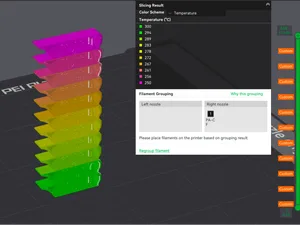
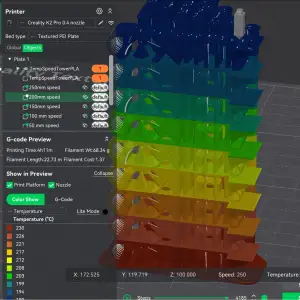
Some results are calibration prints and temperature towers that include custom GCODE to test filament behavior across a range of values. Others are machine-specific files tuned for a particular printer model, or short scripts meant to automate nozzle cleaning and priming. You will also find ordinary STL objects that simply include a GCODE file as an alternate download.
Before downloading, check the author's page for the target machine, layer height, and material the GCODE was generated for, since a file sliced for one printer can produce poor results on another. Look at photos of real prints to confirm surface quality and dimensional accuracy. If the model has multiple parts or requires assembly, verify whether the GCODE includes all components or only a single piece.
If you need a specific type of output, try synonyms and related terms such as “sliced file,” “printer profile,” “temperature tower,” or “nozzle script.” You can also combine the topic with a material abbreviation or printer series to narrow the results. Browsing related collections for test prints or utility tools may surface additional GCODE resources.
完整的主题目录:从家居日用到CNC,均可在已接入的来源平台中搜索。


