
無料 
Makita Battery Mount
Thingiverse
This collection gathers 3D models that hold Makita cordless tools, batteries and chargers, along with adapters that attach a Makita body to a CNC router. The files cover wall brackets, single and multi-pack battery cradles, and tool-specific plates. It is useful when you want to organise a workshop wall or replace a mount that no longer fits your setup, and each listing can be printed on a common 3D printer. Polyzon does not confirm whether models are free, their price, license, official status, affiliation, safety or fitness. Check the current terms at the source.
このコレクションの本文は英語で書かれています。検索自体はどの言語でも使えます。
 Polyzonのコレクション · モデル45件 4サイトから収集
このコレクションは、Polyzonが対応サイトの検索結果をもとに作成しています。重複やプレビューのないモデルは除外し、関連性の低いものは後ろに回し、それ以外は検索結果の順に並べています。モデルの権利は各作者にあります。利用条件は各モデルのページでご確認ください。
選定基準:Polyzon編集部 · 本文の更新日:2026年10月14日

%2Fhttps%3A%2F%2Ffbi.cults3d.com%2Fuploaders%2F17168941%2Fillustration-file%2Facb41d61-8c32-41af-9806-7e46411d017d%2FIMG_3640.jpg&w=300)


%2Fhttps%3A%2F%2Ffbi.cults3d.com%2Fuploaders%2F28067274%2Fillustration-file%2Febe80085-5bd7-4d42-b376-e6ca0fffe023%2FCover-v2-Square.jpg&w=300)

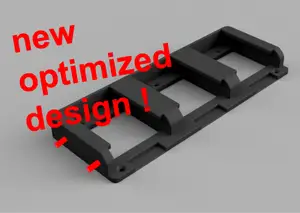

%2Fhttps%3A%2F%2Ffbi.cults3d.com%2Fuploaders%2F22238785%2Fillustration-file%2Ffea666fc-be9d-43f2-b081-c742813794b2%2FIMG_8747.jpg&w=300)


%2Fhttps%3A%2F%2Ffbi.cults3d.com%2Fuploaders%2F22238785%2Fillustration-file%2F94df8a56-bcc3-476e-9250-c2e27b939e8f%2FIMG_1642.jpeg&w=300)
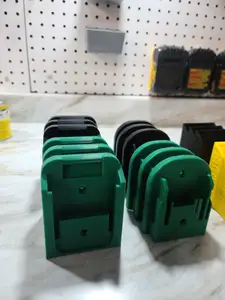

%2Fhttps%3A%2F%2Ffbi.cults3d.com%2Fuploaders%2F17168941%2Fillustration-file%2F19c19eff-293b-4eb4-9694-804545f1a1e4%2FIMG_3643.jpg&w=300)
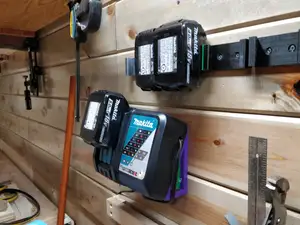
%2Fhttps%3A%2F%2Ffbi.cults3d.com%2Fuploaders%2F22238785%2Fillustration-file%2Fbae8638a-fb9a-4080-9126-229a698eab4f%2FIMG_1652.jpeg&w=300)

%2Fhttps%3A%2F%2Ffbi.cults3d.com%2Fuploaders%2F14258917%2Fillustration-file%2F21204d70-cbbe-46f8-acf5-5339919799b1%2Fz6917490287413_dbc730e518828d2b310a9160e5db44e1.jpg&w=300)


%2Fhttps%3A%2F%2Ffbi.cults3d.com%2Fuploaders%2F14883452%2Fillustration-file%2F6ca6d475-32bb-46ce-8eca-0fce3fee3ce1%2Fimg_6229.webp&w=300)


%2Fhttps%3A%2F%2Ffbi.cults3d.com%2Fuploaders%2F12957961%2Fillustration-file%2F697f75fd-c512-484d-8de3-b0418237ad05%2FIMG_0466.jpg&w=300)


%2Fhttps%3A%2F%2Ffbi.cults3d.com%2Fuploaders%2F32159751%2Fillustration-file%2Feff49795-7c13-44e4-8645-8589c062ad86%2FIMG_20200813_161118.jpg&w=300)


%2Fhttps%3A%2F%2Ffbi.cults3d.com%2Fuploaders%2F13915717%2Fillustration-file%2F010b0ede-3855-4947-86ac-d937b703599e%2FIMG_20160210_171530.jpg&w=300)

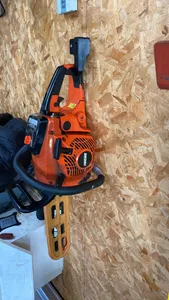
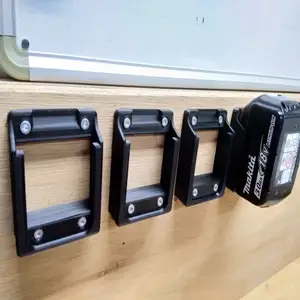
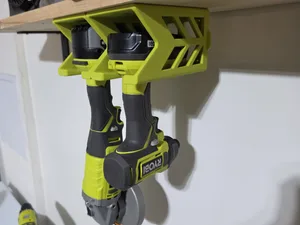
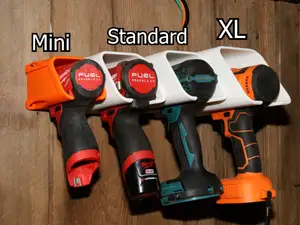
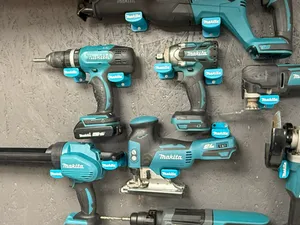
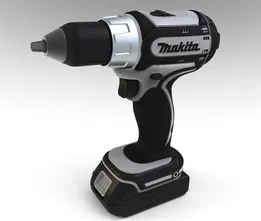
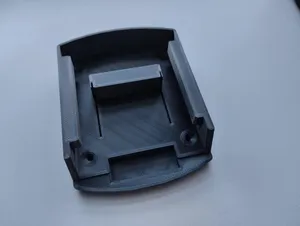
The models split into a few practical groups. Battery mounts range from a single 18 V cradle to racks that take several packs side by side, and some combine a tool slot with a battery slot on one plate. Drill and screwdriver mounts are usually simple wall brackets, while CNC adapters are flat plates that clamp a Makita body to a router carriage and carry pen or drag-knife holders. Universal holders are shaped to accept several cordless brands, so the opening is wider and often needs a shim or a strap.
Before printing, open the author's page and read what is listed there: the battery size or voltage the mount was drawn around, the screw hole spacing, the number of separate parts and whether they are joined with screws, glue or a snap fit. Look at photos of real prints to judge wall thickness and how the tool sits in the bracket. Check the material and settings the author names, since a thin wall bracket and a CNC plate carry different loads, and confirm the orientation and whether supports are needed.
To widen the results, search by the part you want to hold rather than by the tool name alone: battery holder, tool wall mount, charger bracket, drill holder, router adapter. Related terms such as cordless, 18 V, wall bracket, workshop storage or tool organiser bring in models that use different wording. If you need a mount for a specific machine, try the model code of the tool or the battery series, and look at CNC-related queries when the mount is meant for a router carriage.
Adding your own holes or scaling a plate slightly is common, so keep the source file if you plan to adjust the spacing. Measure the battery and the tool body first, then compare those numbers with the dimensions on the model page.


%2Fhttps%3A%2F%2Ffbi.cults3d.com%2Fuploaders%2F13499062%2Fillustration-file%2F2b183fef-ebc8-49a7-a4b6-39ae371b8204%2FAPC_0010a.jpg&w=300)
暮らし・日用品からCNCまで、すべてのテーマをそろえたカタログ。対応サイトを横断して検索できます。
%2Fhttps%3A%2F%2Ffbi.cults3d.com%2Fuploaders%2F13792735%2Fillustration-file%2F1757e97d-286e-4e48-86c4-e36f3a1d1f1e%2FMakita_Under_Shelf_Mount.png&w=640)