
Бесплатно 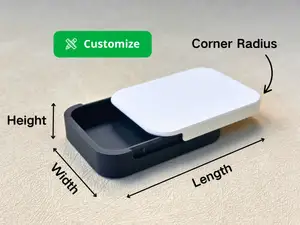
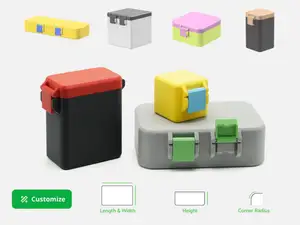
Customizable Sliding Lid Box (Parametric Box)
MakerWorld
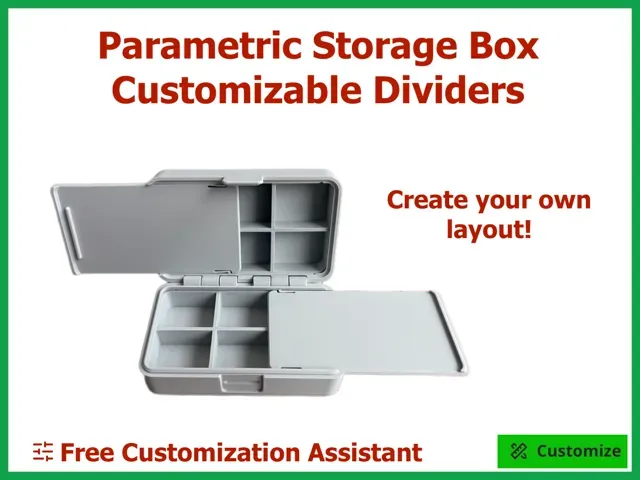



Parametric Storage Box – Customizable Dividers
The idea behind the design
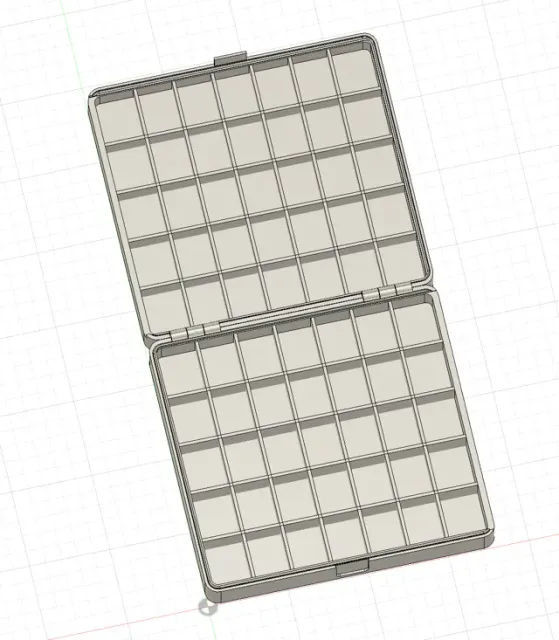
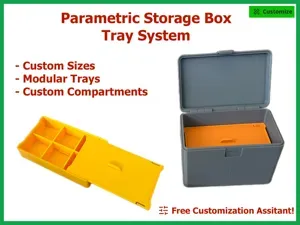
This design builds on my original Parametric Storage Box by adding customizable compartments to both halves of the box.
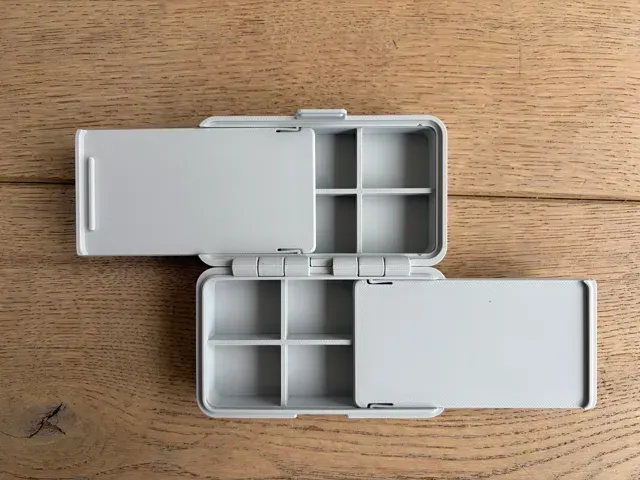
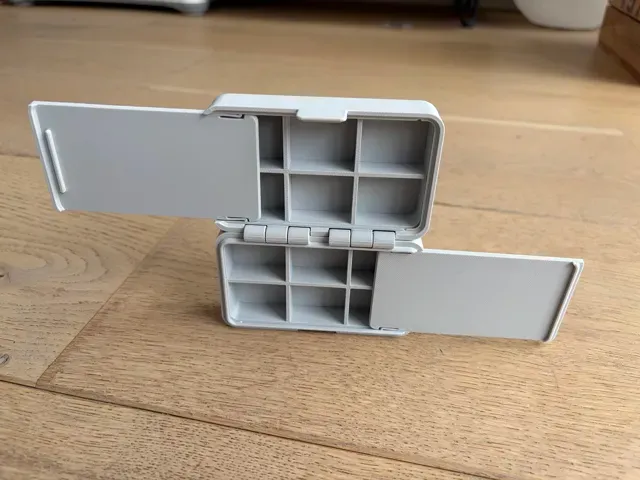
The box itself still prints in place, but configurable dividers allow you to organize small parts exactly where you need them. Both halves also have their own sliding inner lid , so they can be used for storage without their contents falling out when the box is opened.
A box built around custom compartments
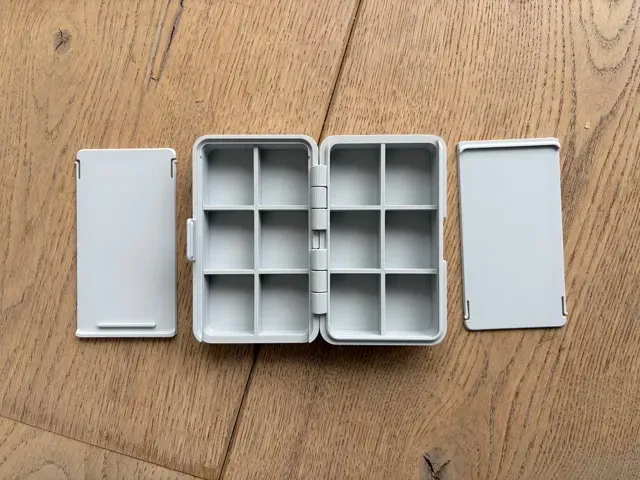
Both the base and lid can have their own compartment layout.
You can configure:
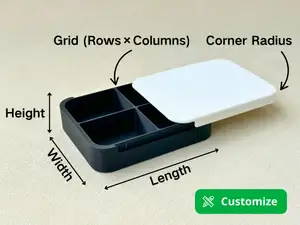
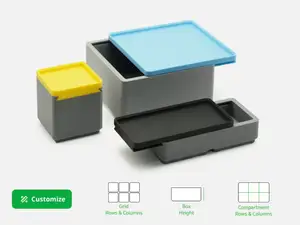
- Box dimensions – customize the overall width, depth and height - Vertical dividers – up to 6 in both the base and lid - Horizontal dividers – up to 4 in both the base and lid - Divider positions – place each divider independently - Separate layouts – the base and lid can use completely different compartment arrangements - Sliding inner lids – keep the contents of both halves contained This allows anything from a few large compartments to a dense grid of smaller compartments.
⚠️ Do not resize this model in your slicer
Always change the model dimensions using the Parametric Model Maker in MakerWorld. Do not scale the generated model in Bambu Studio or another slicer.
Scaling also changes functional dimensions such as clearances, wall thicknesses, hinges and fitting tolerances. Parts may therefore no longer fit or function correctly.
Need a different size? Customize it parametrically instead.
Boost Me If you like this model, please consider giving it a boost! It helps support my work and motivates me to keep designing and sharing new models on MakerWorld. Customize your box
To customize the box, open the Parametric Model Maker by clicking Customize on this page.
The box and sliding inner lids are provided as separate configurable files. Make sure you use the corresponding dimensions for both so that the lids fit the customized box.
Fleetwood Designs Configurator
With the number of possible divider combinations, configuring this model manually can quickly become complicated. To make this easier, I created the Fleetwood Designs Configurator .
Simply enter either the overall outside dimensions of the box or the usable compartment space you need. You can then create your divider layouts visually instead of calculating divider positions and ratios yourself.
The Configurator calculates the required dimensions and divider positions and provides the correct parameters to use in MakerWorld.
→ Open the Fleetwood Designs Configurator
You can configure your box based on either:
- Overall Outside Size – when the storage box needs to fit within specific outside dimensions. The Configurator shows the resulting usable space available for your compartments. - Required Usable Space – when you know the dimensions your compartments need to provide. The Configurator calculates the outside dimensions required to create that usable space. For your compartments, you can choose between:
- Equal Grid – choose the number of columns and rows and let the Configurator distribute them evenly. - Custom Layout – position the dividers yourself to create compartments of different sizes. The Configurator presents the required model parameters in the same order as the parameters in MakerWorld, so you can simply copy them across.
The workflow is:
- Open the Configurator - Choose Overall Outside Size or Required Usable Space - Enter your dimensions - Configure the compartment layouts for the base and lid - Open the Parametric Model Maker on MakerWorld using the Customize button - Copy the calculated parameters into the box file - Apply the corresponding dimensions to the sliding inner lid files - Generate, download and print your models Prefer to just print one?
Don't need a specific size or compartment layout? Ready-to-print profiles are available , so you can simply choose a profile and start printing without using the Configurator or Parametric Model Maker.
Printing
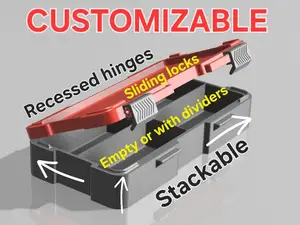
The box itself is a print-in-place design with a double hinge and requires no assembly.
I have tested this design in PLA and PETG , with sizes ranging from approximately 92 × 25 × 35 mm up to 180 × 90 × 40 mm (W × D × H).
No supports are required.
After printing, the hinges may require a little movement to free them for the first time. Once released, they should operate smoothly.
Sliding inner lids
The base and lid use slightly different sliding inner lids.
The inner lid with the additional rib is intended for the lid half of the box. Make sure you use the correct file for each half and use the dimensions calculated for your customized box.
The sliding lids gently snap into place, allowing both halves of the box to hold small parts while the main box is open.
Locking mechanism
The box uses a snap-fit latch to keep it securely closed while still allowing easy opening.
The latch has been strengthened compared with earlier versions of the design to reduce the risk of it snapping off.
More Fleetwood Designs
Don't need compartments? The original Parametric Storage Box provides the same basic print-in-place box without dividers or sliding inner lids.
Improved latch; 100 width, 60 depth, 40 height Print profile for box with an improved latch mechanism. The clip is a bit thicker and there is a deeper recess in the bottom halve of the box to make opening easier.
0.2mm layer,
2 walls,
15% infill,
no support
0.24mm layer, 2 walls, 15% infill This print profile is for a box that has been printed using the default settings. You can create your own custom version, but this is a nice size for very small items.
I ADDED ANOTHER PRINT PROFILE WITH AN IMPROVED LATCH!
I kept this print profile as many people have used it an might want to print an identical box.
Standard Bambu Studio settings are used. For PLA, these work fine. Other filaments have not been tested by me.
Названия используются только для указания источника результата. Polyzon не аффилирован с перечисленными площадками.