
Бесплатно 
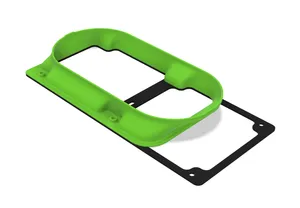
90mm CPU Fan Duct for Fractal Design Node 202
Printables

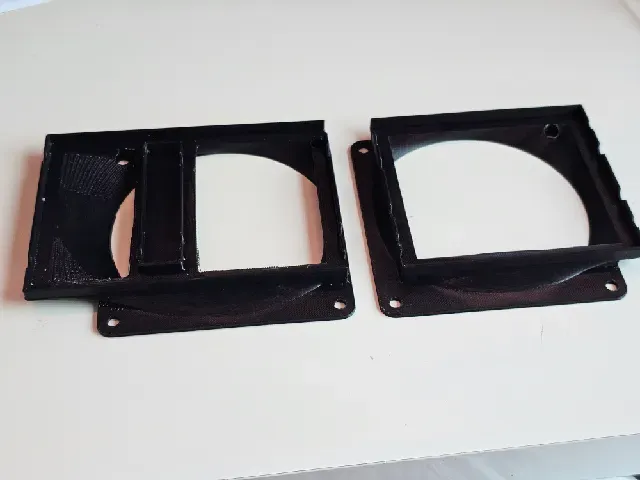
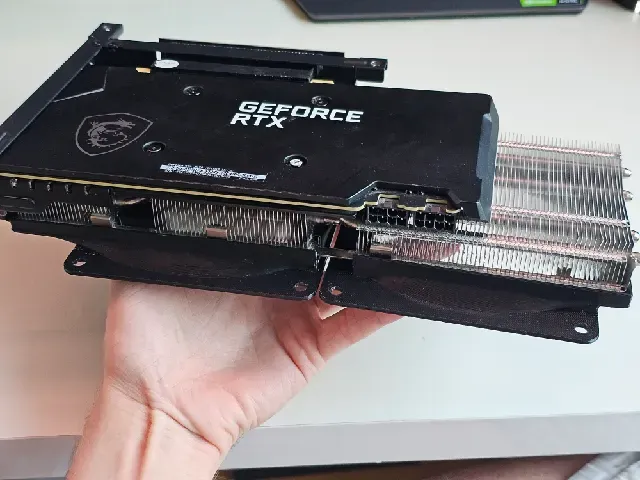
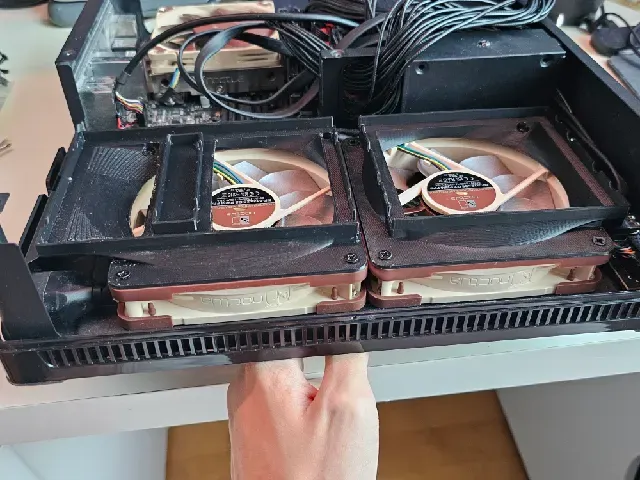
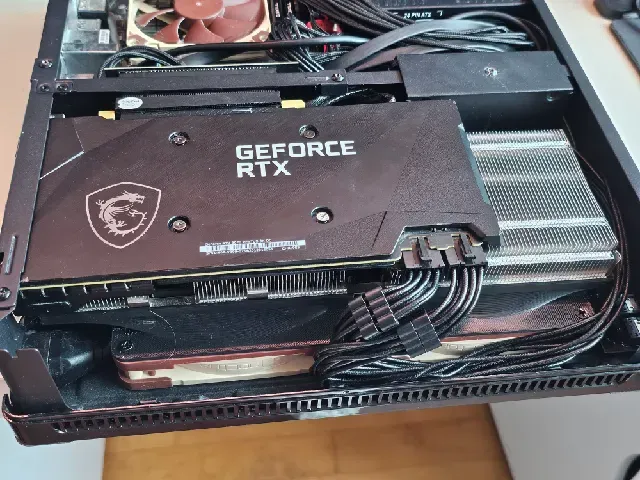
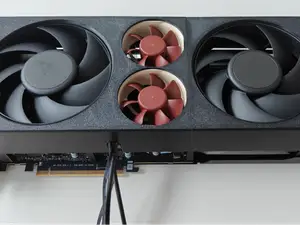
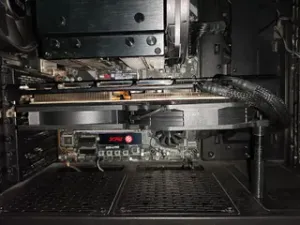
An adapter that lets me mount my MSI RTX 3070 Ventus 3X OC in my small form-factor server build based on the Fractal Design Node 202 case with Noctua NF-A12x25 G2 PWM Sx2-PP.
I was inspired by the following model: https://www.thingiverse.com/thing:6001780 Unfortunately, the spacing did not fit my case, so I had to create a brand new design. The major difference is that the fans are not mounted directly to the graphics card, but rather to the case. This forces the fans to pull cold air from the outside, which is routed through the three heatsinks using the duct I designed.
In practice the fan noise has gotten much better. My original fans had an annoying clicking noise in the upright orientation, while the new fans produce a much more uniform white noise. I also noticed that the cooling is much more capable, since the fans now only turn on for a few seconds before the temperatures go back down. This is probably because the original fans would just recirculate the same hot air, while the new fans with this duct promote the flow of fresh air.
To reproduce:
- Mount two 120mm fans of choice in the Node 202 case according to the manual.
- Screw the two adapter parts into the fans.
- Remove the original fans and shroud from the Ventus 3X.
- Mount the Ventus 3X into the Node 202 case according to the manual.
- Connect the fans to the GPU using a suitable adapter (or just solder the cables together). I used a pair of the following: https://www.amazon.de/dp/B075LKL5DH
Printing settings used:
- ABS with an enclosure (260°C nozzle, 100°C hotbed, ≤50°C chamber)
- 100% infill
- Default (non-tree) supports enabled
- 4 wall loops
- 50% of the default speed (for reference, my printer is the Creality K1C, so that would be about 100 mm/s for outer walls and 125 mm/s for inner walls)
- 0.2mm layer height
I had trouble printing this sloped design, getting clogs around the halftime, so I had to experimentally find settings that work for this. Therefore, make sure to match these settings, especially the high amount of infill and lowered print speed. Also watch out for the chamber temperature getting too high. I recommend staying around 40°C–50°C, adjusting your fan speeds as needed.
A similar model I made for the use with a CPU cooler in the Fractal Design Node 202:






Названия используются только для указания источника результата. Polyzon не аффилирован с перечисленными площадками.
Комментарии