
無料 
GU10 installation housing
Thingiverse
This collection gathers 3D models that hold, cover or mount something else: electrical boxes, enclosures for small devices, bearing housings and trim inserts. Most of them are designed around a specific component, so the printed part is only useful once its dimensions match. It is a practical starting point if you already know what has to fit inside and where it will be fixed. Polyzon does not confirm whether models are free, their price, license, official status, affiliation, safety or fitness. Check the current terms at the source.
このコレクションの本文は英語で書かれています。検索自体はどの言語でも使えます。
 Polyzonのコレクション · モデル47件 4サイトから収集
このコレクションは、Polyzonが対応サイトの検索結果をもとに作成しています。重複やプレビューのないモデルは除外し、関連性の低いものは後ろに回し、それ以外は検索結果の順に並べています。モデルの権利は各作者にあります。利用条件は各モデルのページでご確認ください。
選定基準:Polyzon編集部 · 本文の更新日:2026年10月14日

%2Fhttps%3A%2F%2Ffbi.cults3d.com%2Fuploaders%2F15103876%2Fillustration-file%2F2ce79e08-a0a5-44b7-8ebd-c06a2387c303%2Fbf19d7ae-ef8d-4cf9-8f1e-52bf3dce9471.jpg&w=300)


%2Fhttps%3A%2F%2Ffbi.cults3d.com%2Fuploaders%2F29478193%2Fillustration-file%2F43d1c7ad-8859-46e0-ba0a-efddc565dbb8%2F120-skull-hat.png&w=300)


%2Fhttps%3A%2F%2Ffbi.cults3d.com%2Fuploaders%2F30209306%2Fillustration-file%2F2b6c8af9-8c01-47e8-8e05-71b9afc0f9bd%2F1000041410.jpg&w=300)


%2Fhttps%3A%2F%2Ffbi.cults3d.com%2Fuploaders%2F27492874%2Fillustration-file%2F4ae42695-f58b-4a2d-b0c1-51fdbc2c51d2%2F1.png&w=300)
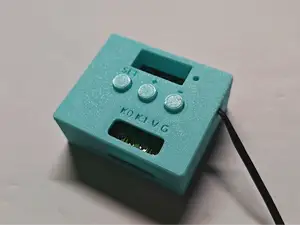

%2Fhttps%3A%2F%2Ffbi.cults3d.com%2Fuploaders%2F30375783%2Fillustration-file%2F2308c739-5e73-49c9-a46e-aec012fea0fe%2FPhotoroom_20260401_140402.jpeg&w=300)
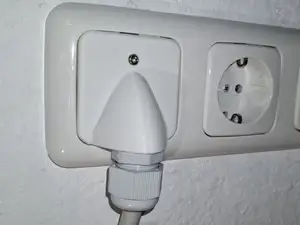

%2Fhttps%3A%2F%2Ffbi.cults3d.com%2Fuploaders%2F29478193%2Fillustration-file%2F8c9a9ecc-c2a4-4411-aa91-73bab6cca61d%2FTRB-Celt.png&w=300)
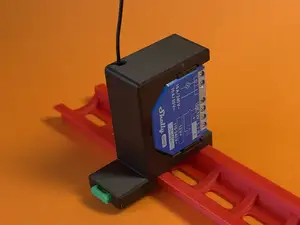

%2Fhttps%3A%2F%2Ffbi.cults3d.com%2Fuploaders%2F29478193%2Fillustration-file%2F8019bfe6-639b-4cac-8f4d-3c936f66a252%2FBear-120.png&w=300)
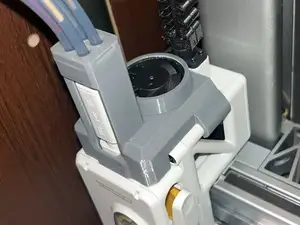

%2Fhttps%3A%2F%2Ffbi.cults3d.com%2Fuploaders%2F29478193%2Fillustration-file%2F03d765bf-24ca-4a3d-b72e-251d95acfb76%2Fsnowflake.png&w=300)


%2Fhttps%3A%2F%2Ffbi.cults3d.com%2Fuploaders%2F22386743%2Fillustration-file%2F15de0215-6489-43db-b215-8e26254c004d%2F79ce44ff-3700-4111-98f0-01babf3193a4.png&w=300)

%2Fhttps%3A%2F%2Ffbi.cults3d.com%2Fuploaders%2F29478193%2Fillustration-file%2F83f16bff-9111-477a-9a4c-49c622f98a1c%2Fwolf.png&w=300)

%2Fhttps%3A%2F%2Ffbi.cults3d.com%2Fuploaders%2F14161876%2Fillustration-file%2F30637f90-7d48-4c6a-8d60-1b7cbc87c581%2Fwahl.jpeg&w=300)

%2Fhttps%3A%2F%2Ffbi.cults3d.com%2Fuploaders%2F29478193%2Fillustration-file%2F728e3e26-da4b-4360-8728-9f38bc3d39ae%2FAlice_in_wonderland_.png&w=300)

%2Fhttps%3A%2F%2Ffbi.cults3d.com%2Fuploaders%2F29478193%2Fillustration-file%2F5ca5e099-09e3-4be6-9a36-74d7762d61fe%2Fsssr.png&w=300)


%2Fhttps%3A%2F%2Ffbi.cults3d.com%2Fuploaders%2F29478193%2Fillustration-file%2F668ed843-62fd-49b7-a29c-e74a3aa20eb2%2FPH-skull-120.png&w=300)
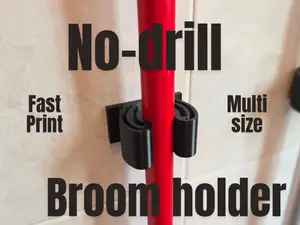
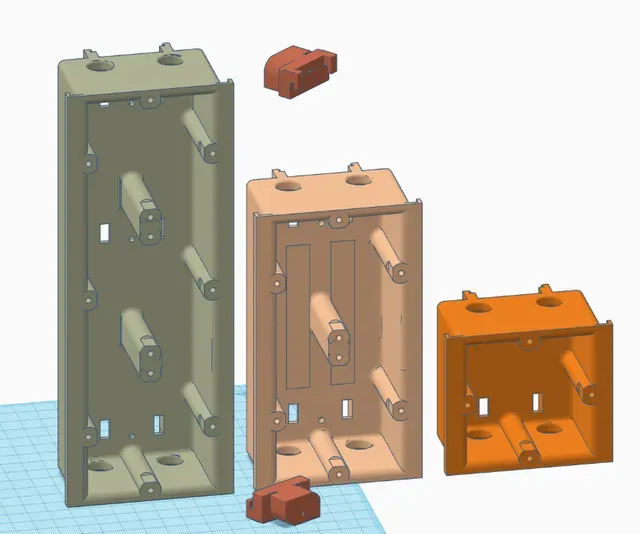
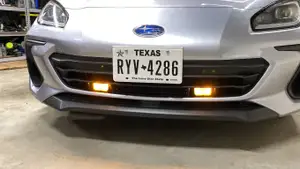
The parts differ mainly in what they are built around. Installation boxes and cable ducts are shaped by a wall opening or a standard frame, device enclosures follow the outline of a meter, controller or board, and bearing housings are defined by shaft diameter and bolt spacing. Automotive inserts and display shells sit somewhere between a cover and a bracket, so they often combine a visible face with hidden fixing points.
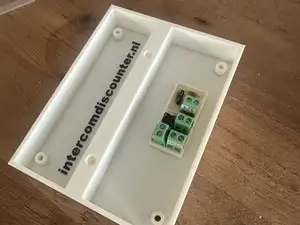
Before printing, compare the model dimensions with the real component and with the cutout it has to pass through. Look at wall thickness, screw boss positions, lid or snap-fit design, and whether the author shows supports, orientation, material and settings. Photos of finished prints are more informative than renders, especially for thin walls and close tolerances.
If the first search gives little, try other words for the same object: enclosure, case, box, housing, mount, bracket, holder, adapter, bezel, faceplate, junction box or cable gland. Related topics such as cable management, panel cutouts, DIN rail mounting or printer carriage parts often lead to models with the same fixing logic. Changing the component name or the mounting standard usually widens the results more than changing the printer name.




暮らし・日用品からCNCまで、すべてのテーマをそろえたカタログ。対応サイトを横断して検索できます。
%2Fhttps%3A%2F%2Ffbi.cults3d.com%2Fuploaders%2F21181834%2Fillustration-file%2F3b3a44a7-916b-4e1c-8483-0d54013644e1%2Funtitled.230.jpg&w=640)